Fleet |
  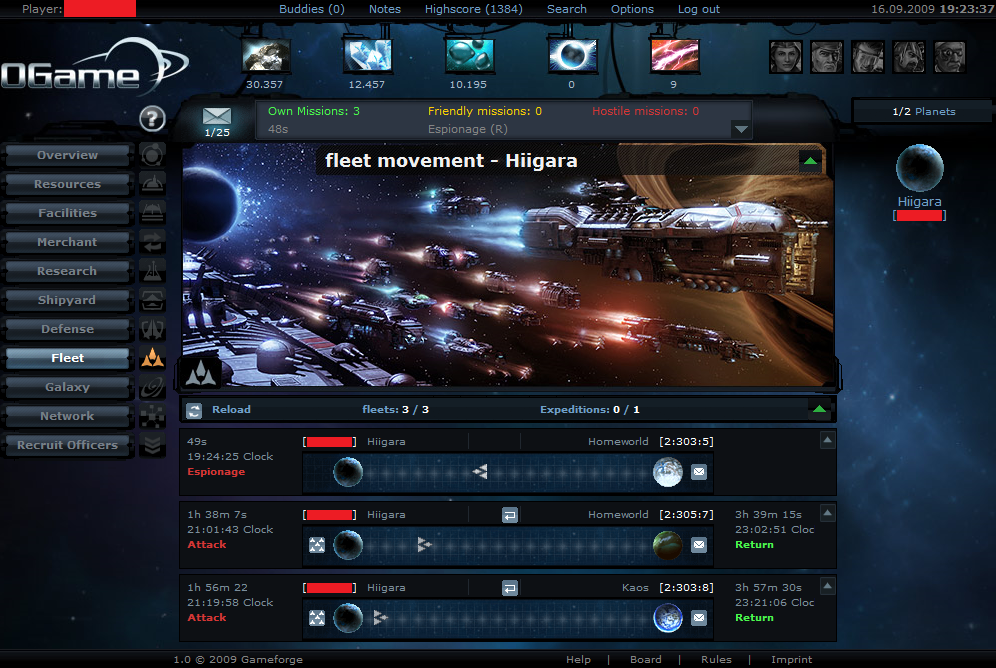 A Fleet is a group of ships carrying out a single mission together as a single unit. Fleets can be as small as one ship, and is limited only by ships available and amount of deuterium. Alternatively, the fleet number in the Statistics view simply means the total number of ships belonging to that player. IntroductionIn Kessaril, one of the most common actions is to send a Fleet. Either to transfer/transport from one planet to another, or to attack another planet, fleets are one of the essential tools of the game. A fleet can generically be defined as a group of ships (number per type), with a specific mission, which depart from a given location (origin) at a given time, and arrive to another location (destination) at other time. It can also be transporting resources. The next sections will describe how each of these quantities depend on the choices of the player. Ships and timesA fleet can have as many ships as the player wants: there is no limit either for the number of ships or number of types of ships a fleet can have. However, every ship consumes fuel, and so the higher the number of ships, the higher the fuel consumption. The departing time is chosen by the player, by deciding at which time he/she sends the fleet. The arrival time however, is calculated by the speed of the slowesttype of ship in the fleet, and the distance between the origin and destination. The total resources capacity of the fleet is given by the sum of the Cargo capacity of each ship on the fleet minus the fuel it needs. MissionsTasks assigned to fleets are called missions. Fleets are launched and recalled from the fleet view screen. Possible mission types:
Number of fleetsAt the start of the game, each player is allowed one fleet at any given time. He/she may have any number of ships at any number of planets, but only one Fleet traveling or performing a mission at any given time. Every level of Computer Technology researched adds one more available fleet slot. This allows you to have more active groups of ships at any given time. The number of fleets allowed in action at any one time is determined by the level of the Computer Technology research attained by that player. The number of fleets available to a player is as follows:
Fleet activityAll ongoing fleet activities related to your planets are shown in the Overview screen, marked as a star or timer next to your planet in galaxy view. A star indicates fleet activity within the last 15 minutes on that planet, whether someone else's fleet or yours. After 15 minutes, it changes to a timer counting up to one hour. Activity over an hour old is not shown on the galaxy screen. See Also |
|---|
| More in Fleet and missions |